
CAD blocks
HVAC, Water Tank and Solar CAD Blocks
-
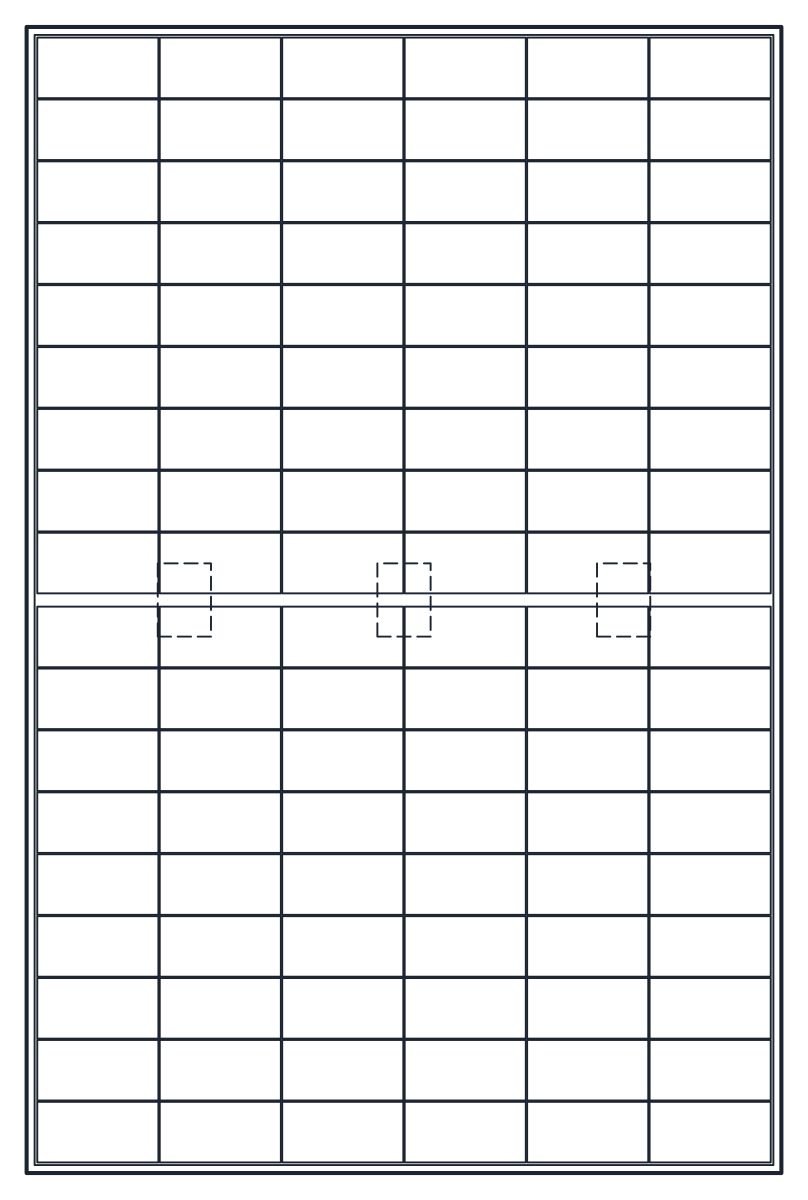 Installations Solar Panel CAD Block: PV Module, Array and Water Heater
 -
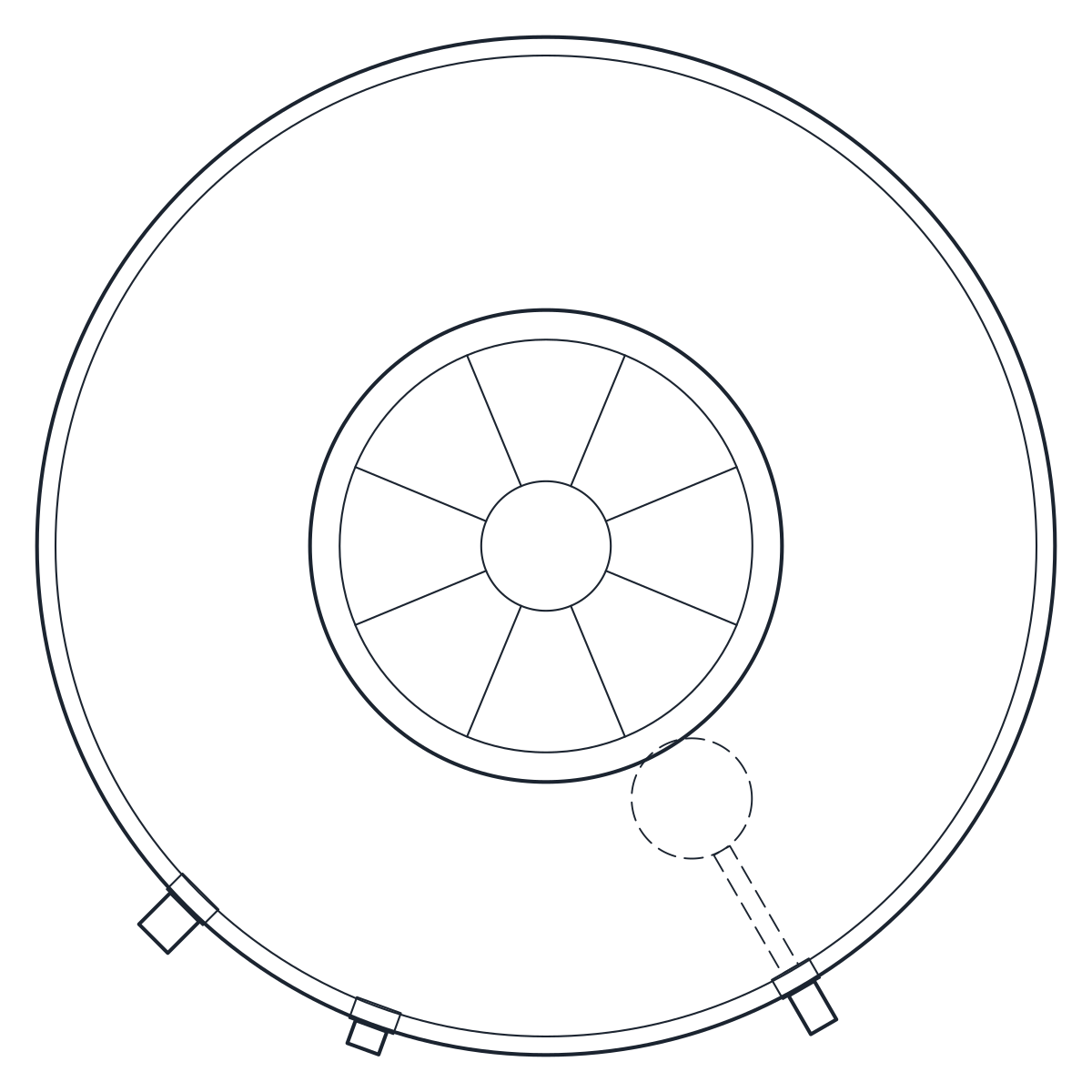 Installations Water Tank CAD Block: Vertical and Tapered Tanks
 -
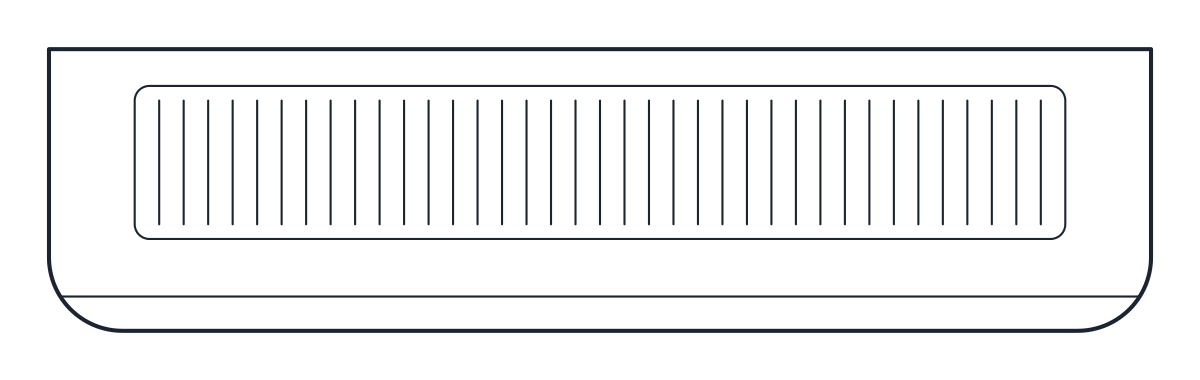 Installations Air Conditioning CAD Blocks: Split AC and Cassette
Installation blocks are the equipment that appears on building services drawings: air conditioning units on walls and ceilings, water tanks on roofs and solar equipment on the roof or the ground. The category has three families with three blocks each, for air conditioners, water tanks and solar panels. Every block is a typical product drawn at 1:1 in millimetres, so it shows the space the equipment takes and where its connections are. Check the final size against the model you specify.
HVAC CAD blocks for split units and ceiling cassettes
The air conditioner blocks cover the units most homes and small offices use. The wall-mounted split indoor unit is 900 mm wide, 230 mm deep and 300 mm high. It takes air in through the top grille and blows it out at the bottom, so the elevation should leave room above it for the intake. The outdoor condensing unit measures 850 x 330 x 650 mm, with a single fan at the front and the condenser coil on the back and left side. Keep the back and the fan discharge clear when you place it on a balcony, a wall bracket or a roof.
The 4-way ceiling cassette is drawn for the reflected ceiling plan, as seen from below. Its 950 x 950 mm grille is 30 mm thick, and the 840 x 840 x 220 mm body above the false ceiling is dashed in plan. That body height is the first figure to compare with the ceiling void before you choose a cassette over a wall unit. Add the hanging and drain allowances from the manufacturer.
Plumbing CAD blocks for rooftop water tanks
The water tank blocks are polyethylene storage tanks of the kind placed on roofs and platforms. Two are vertical tanks with reinforcement rings, of 1,100 L and 2,500 L nominal capacity, and one is a tapered 1,000 L tank. The vertical tanks are the type known in Mexico as a tinaco. The tapered one is close to the Brazilian caixa d'água, wider at the rim than at the base.
The 1,100 L tank stands 1,450 mm high and is 1,100 mm across the rings. The 2,500 L tank is 1,550 mm across and 1,650 mm high. Each block shows the inlet with float valve, the overflow and the bottom outlet, so the pipe runs start from the right points. One litre of water weighs about 1 kg, so a full tank puts a large load on the roof or stand under it. Ask for a structural check before you fix the position.
Solar energy CAD blocks for roof plans
The solar panel blocks start with a single photovoltaic module of 1,134 x 1,722 mm with a 30 mm frame and its 108 half-cut cells drawn. The array block sets ten of those modules in portrait, two rows of five with 20 mm gaps, on an aluminium rack tilted at 15 degrees. It covers 5,900 x 3,600 mm in plan and stands 1,100 mm high, which makes it a quick way to test how many rows fit on a flat roof.
The third block is a thermosiphon solar water heater with 20 evacuated glass tubes and a horizontal tank of 480 mm diameter and 1,700 mm length on a steel stand. It is non-pressurised, so the tank works at atmospheric pressure. The tilts of the array and the heater are drawn values. The right angle for a site depends on its latitude and on the installer's design.
HVAC and plumbing DWG files: layers and units
Each file holds two named blocks, a plan or ceiling view and an elevation, such as CT_AC_CASSETTE_PLAN and CT_AC_CASSETTE_ELEV. The air conditioners are on M-HVAC-EQPM with details on M-HVAC-EQPM-DETL. The water tanks are on P-EQPM and P-EQPM-DETL, and the solar blocks on E-SOLR and E-SOLR-DETL, with the heater tank on the plumbing layers. Hidden parts are dashed on A-HIDN. Freeze one discipline and the other trades stay visible on the same sheet.
The DWG files are saved as AutoCAD 2010, so they open in AutoCAD and AutoCAD LT 2010 and every later release, and in BricsCAD, ZWCAD and DraftSight. The DXF carries the same geometry and layers for LibreCAD and other programs. To change formats yourself, see how to convert DWG to DXF.
HVAC CAD blocks: common questions
Can I use these installation blocks in commercial projects?
Yes. You can use them in client drawings and tender sets without payment or attribution. The blocks license explains the terms.
Do the blocks match a real brand?
No. Each one is drawn from typical product sizes and carries no capacity, power or rating. Replace the outline with the dimensions in the data sheet of the unit, tank or module you select.
Why is the ceiling cassette drawn from below?
Ceiling equipment goes on the reflected ceiling plan, which shows the ceiling as if seen from below. The cassette plan follows that convention, so its grille lines up with lights and diffusers on the same drawing.
How do I insert a block at the right scale?
The files declare millimetres in the header, so a drawing in another unit converts them on insertion. The guide to inserting a CAD block covers the steps in AutoCAD and other programs.