
CAD blocks
AutoCAD Symbols for Plans and Drawing Sheets
-
 Symbols Scale Bar CAD Blocks for 1:50, 1:100 and 1:200
 -
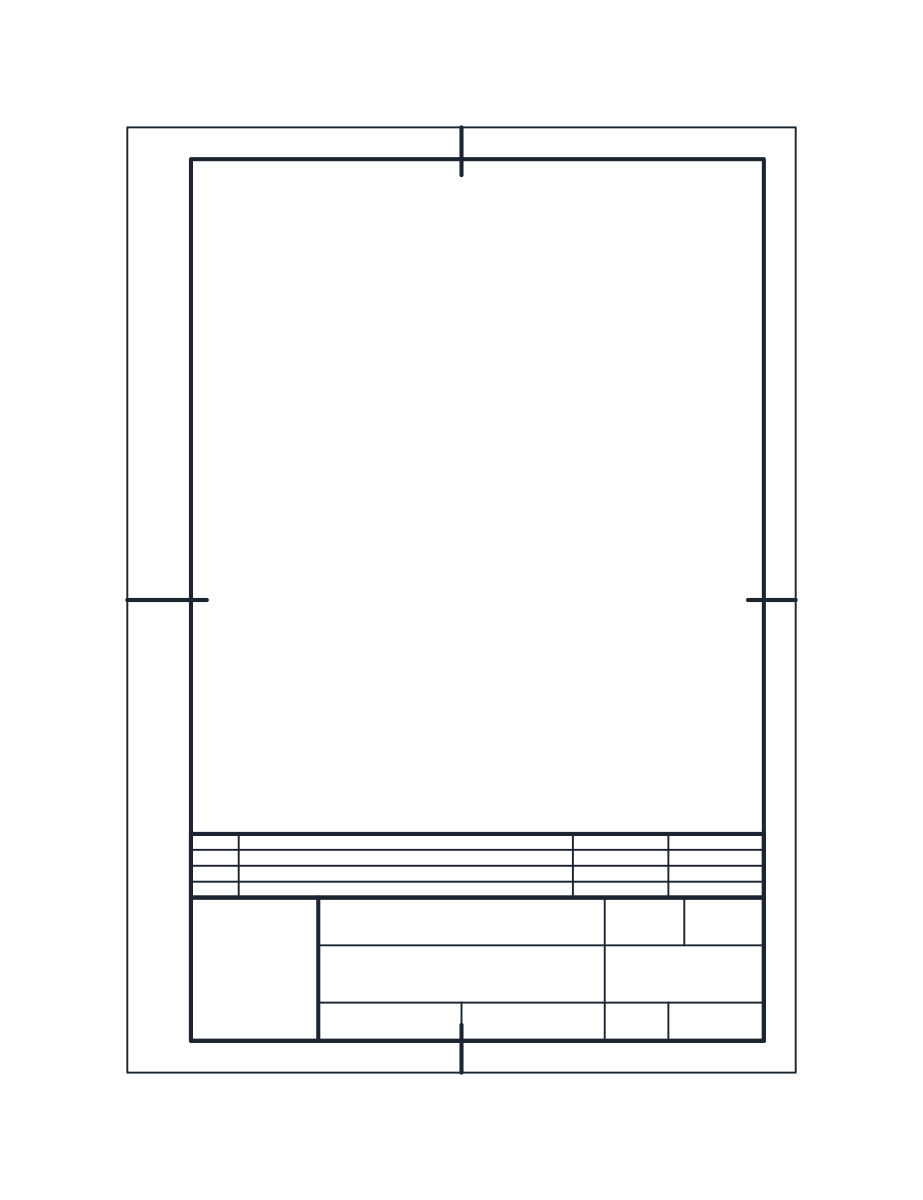 Symbols AutoCAD Title Block Sheets: ISO A4, A3 and A1
 -
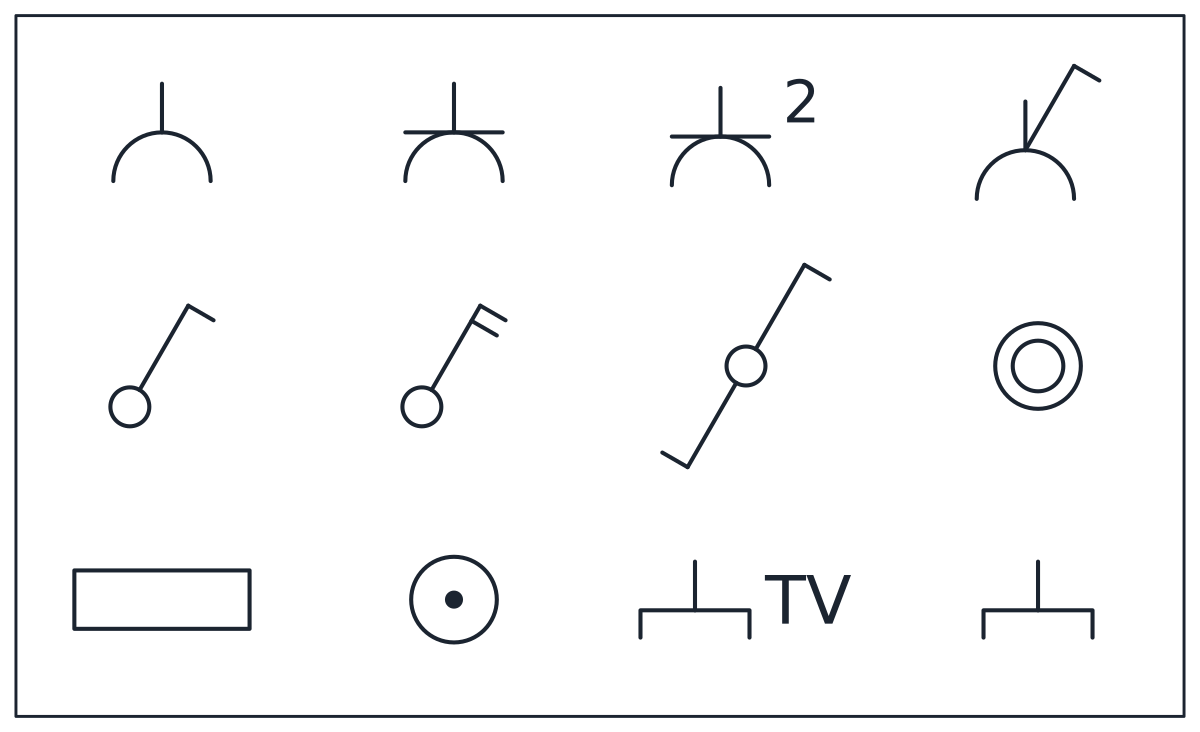 Symbols Electrical DWG Symbols: IEC, ANSI and Lighting
 -
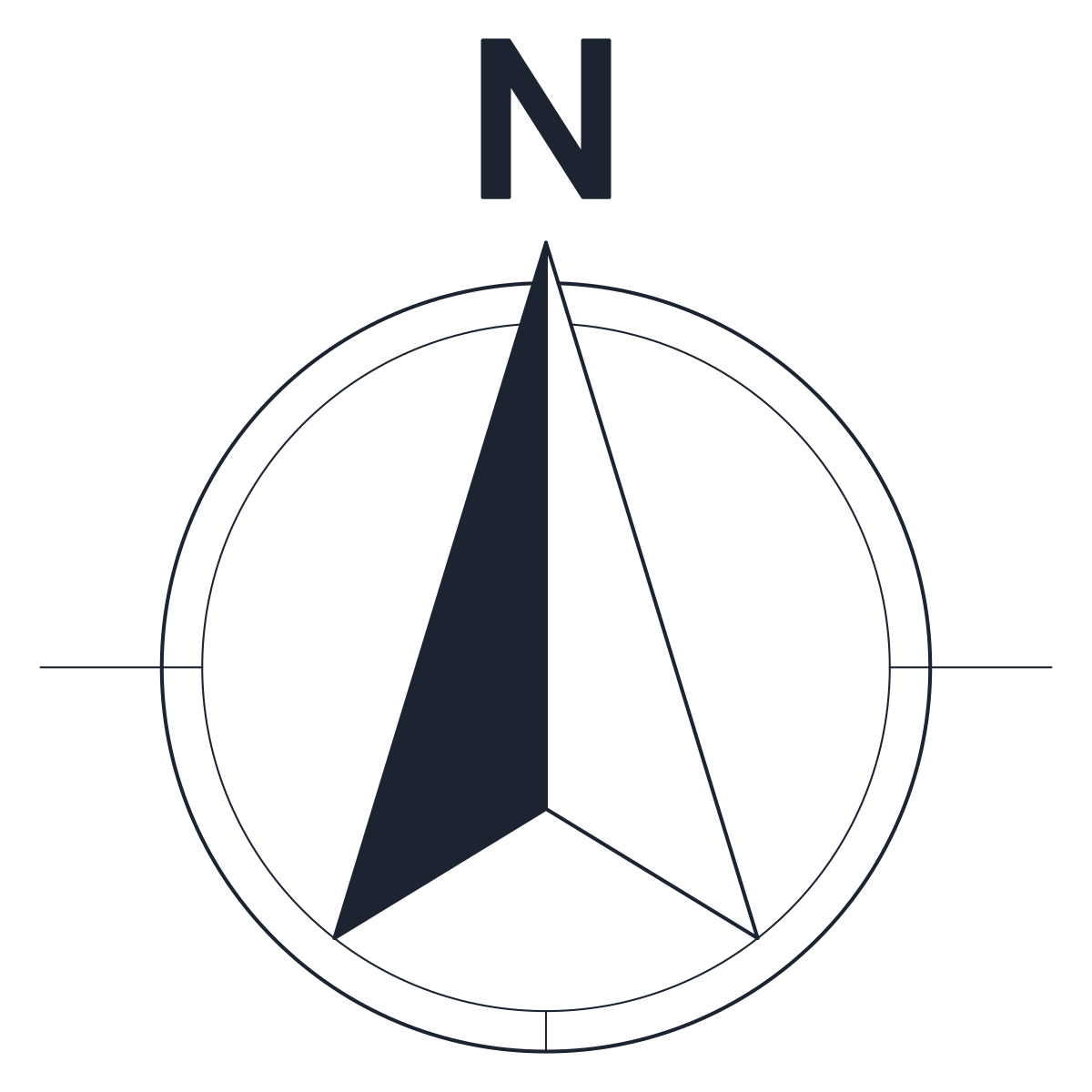 Symbols North Arrow CAD Blocks
Symbol blocks are the annotation layer of a drawing set. They tell the reader which way is north, how long a metre is on the sheet, where the sockets and switches go and who drew the sheet. The category has three north arrows, three graphic scales, three libraries of power, switch and lighting symbols, and three ISO drawing sheets with a frame and title block.
AutoCAD symbols drawn to plot at the right size
Furniture is drawn at its real size, but a symbol has no real size. What matters is how big it looks on paper. So each block here is drawn in millimetres for one plotting scale and says which. North arrows and the electrical libraries are sized for 1:50, graphic scales are drawn in real model units for their own scale, and the drawing sheets go in paper space at 1:1.
That makes the arithmetic simple. Plotted size is the block size divided by the drawing scale. The 1,000 mm north arrow plots at 20 mm on a 1:50 plan and 10 mm on a 1:100 plan. To keep the 1:50 size on a plan at another scale, insert the block with a factor of the new scale divided by 50, which is 2 for 1:100 and 4 for 1:200.
The blocks are not annotative, so they keep the size you insert them at. If your office uses annotative scaling, redefine a block at its plotted size and turn on the Annotative property.
CAD symbols for orientation and scale
The north arrow blocks are a north arrow in a 760 mm circle, an eight point compass rose and a slim needle. The letter N is drawn as geometry, not as text, so it looks the same on any computer whatever fonts are installed.
The graphic scale blocks cover 1:50 (0 to 5 m), 1:100 (0 to 10 m) and 1:200 (0 to 20 m), each with a subdivided heel to the left of zero. They are drawn in real units, so inserted at a factor of 1 next to the plan they still measure correctly when the sheet is printed at another size.
CAD symbols for sockets, switches and luminaires
The electrical symbol libraries come in two conventions. The IEC set follows IEC 60617 installation plan symbols, the convention used in Europe and much of the world. The North American set follows the ANSI and NECA plan conventions, with circles for receptacles and S for switches. A third file has seven luminaire symbols, from a ceiling light to an emergency luminaire and a ceiling fan.
Every symbol in a library is its own named block, such as CT_ELECTRICAL_SYMBOLS_IEC_SOCKET_EARTH, with its base point at the centre of the symbol. You can drag a single symbol from DesignCenter without bringing in the whole sheet. Power, lighting and communications symbols sit on separate layers, E-POWR-SYMB, E-LITE-SYMB and E-COMM-SYMB.
AutoCAD symbols in paper space: ISO drawing sheets
The title block sheets are A4 portrait (210 x 297 mm), A3 landscape (420 x 297 mm) and A1 landscape (841 x 594 mm), the ISO 216 sizes. Each has the ISO 5457 frame with a 20 mm filing margin on the left and 10 mm on the other sides, four centring marks and a 180 x 45 mm title block after ISO 7200 with a revision strip above it.
The sheets are drawn at 1:1 for a layout. Insert the sheet at 0,0 in paper space, open a viewport inside the frame and set the viewport scale.
AutoCAD symbol layers and DWG versions
North arrows and scales use G-ANNO-SYMB for outlines and G-ANNO-SYMB-DETL for fills and thin lines. Scale figures are text on G-ANNO-TEXT. Sheets use G-ANNO-TTLB for the frame and title block and G-ANNO-TTLB-DETL for the trim edge and the inner divisions.
The DWG files are saved as AutoCAD 2010, so they open in AutoCAD and AutoCAD LT 2010 and every later release, and in BricsCAD, ZWCAD and DraftSight.
AutoCAD symbols: common questions
Why does my north arrow look tiny or huge on the sheet?
Because it was drawn for 1:50. On a 1:200 plan it plots at a quarter of that size. Insert it with a factor of 4, or keep it in paper space at a factor of 1/50 so it plots at 20 mm on every sheet.
Can I scale a graphic scale block?
Not if it sits in model space. It is drawn in real units, and scaling it makes it lie. Pick the block for your drawing scale instead.
Are these symbol blocks free for commercial work?
Yes. You can use them in client drawings without payment or attribution. The blocks license has the terms.
How do I insert one symbol from a library?
Open the library file in DesignCenter, expand Blocks and drag the symbol you need. The guide to inserting a CAD block covers the other ways.