North Arrow CAD Blocks
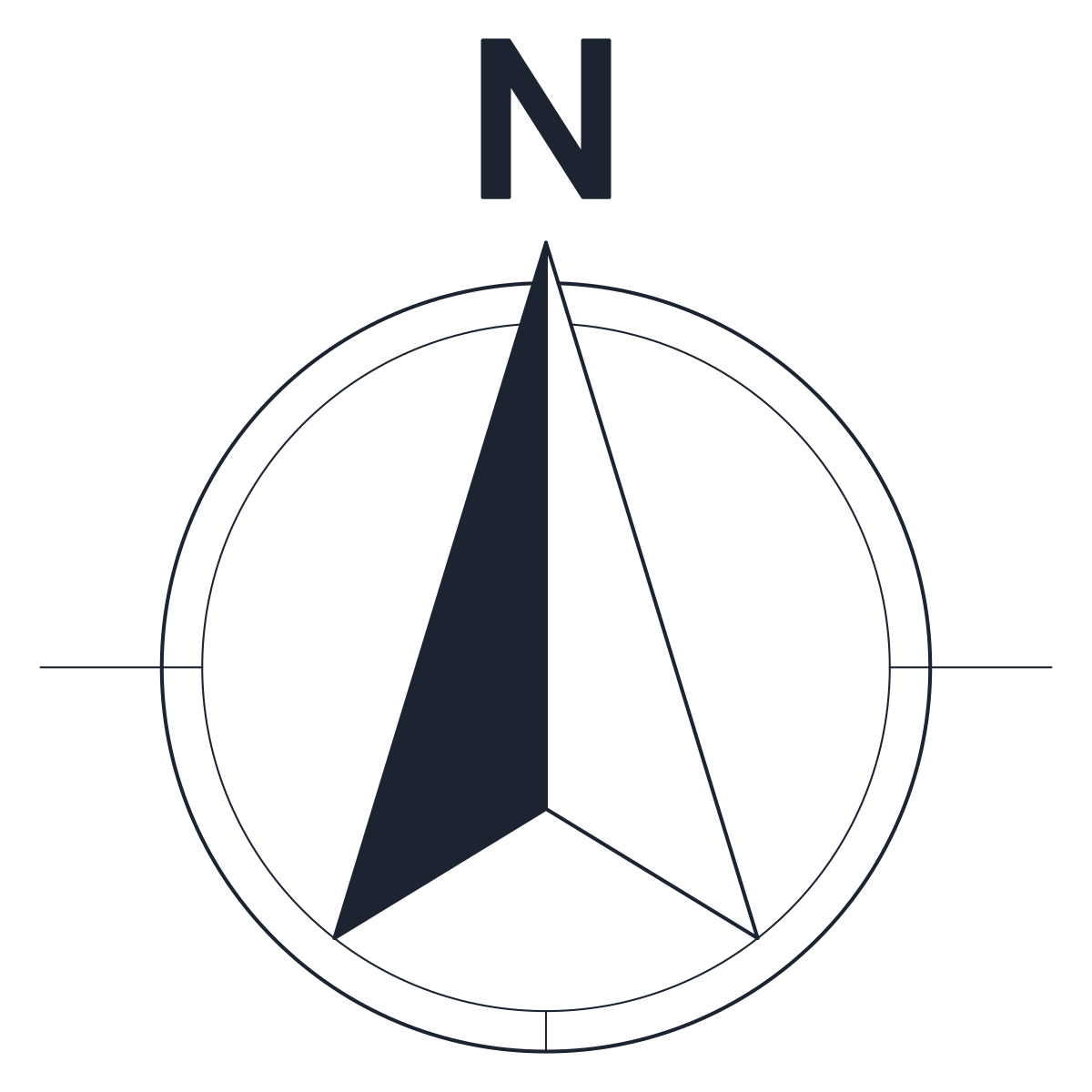
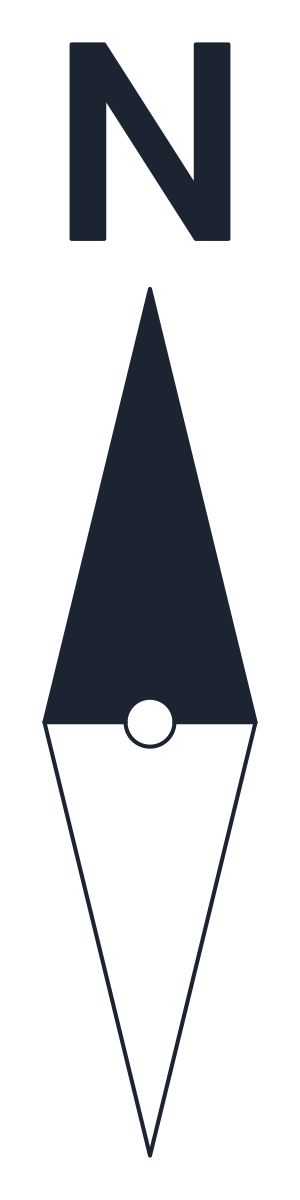
Three north arrow CAD blocks drawn for 1:50 plans: a 1,000 mm circle arrow, a 1,000 x 1,200 mm compass rose and a 190 x 1,000 mm needle, which plot at 20 mm high.
North arrow in a circle CAD block
Compass rose CAD block

North needle CAD block
- Units
- Millimetres (INSUNITS 4), scale 1:1
- Formats
- DWG 2010 · DXF R2010
- Opens in
- AutoCAD and AutoCAD LT 2010 or later, BricsCAD, ZWCAD and DraftSight. The DXF opens in most CAD programs.
- Views
- Symbol
- License
- Free for personal and commercial projects. License
North arrow CAD block sizes at 1:50 and 1:100
Each north arrow is one named block drawn in millimetres for a 1:50 plan. The circle arrow, CT_NORTH_ARROW_CIRCLE_PLAN, measures 1,000 x 1,000 mm with a 760 mm ring. The compass rose is 1,000 x 1,200 mm and the needle 190 x 1,000 mm. On a 1:50 plan they plot at 20 mm, 20 x 24 mm and 3.8 x 20 mm. On a 1:100 plan the same blocks plot at half that, 10 mm for the circle.
The letter N is drawn as a filled outline, not as text, so it does not change with the fonts on another computer. Outlines are on G-ANNO-SYMB and the solid fills on G-ANNO-SYMB-DETL.
North arrow CAD blocks: circle, compass rose or needle
The circle arrow is the plain choice for floor plans and site plans. The west half of the arrow is filled and the east half left open, and thin axis lines cross the ring to the east, west and south. The compass rose has eight points with the N above the top point. It reads well on landscape plans and location maps where there is space around it. The needle is narrow, with a filled north half and an open south half around a pivot, and fits in a crowded corner of the sheet or next to the title block.
Rotating the north arrow block to true north
All three are drawn pointing straight up the sheet. Plans are often drawn square to the building rather than to north, so rotate the block on insertion by the angle between the sheet up and true north. Use the circle centre, at 500, 380 from the base point at the lower left corner, or the needle pivot at 95, 390 as the rotation point. If the site has a project north as well, insert a second copy and label which one is which.
Scaling a north arrow block for 1:200 drawings
The plotted size is the block size divided by the drawing scale. To keep the 20 mm size on a 1:100 plan, insert at a factor of 2. On a 1:200 plan use 4. Another way is to place the arrow on the layout in paper space at a factor of 0.02, which gives 20 mm on every sheet whatever the viewport scale. Remember to rotate it there to match the viewport.
The blocks are not annotative. In AutoCAD an annotative block changes its displayed size with the annotation scale of each viewport, and its definition is drawn at the size it should have on paper. To turn one of these arrows into an annotative block, open it in the Block Editor, scale its contents by 0.02 around the base point and set Annotative to Yes in the Properties palette. The guide to editing a block in AutoCAD shows how to open and save a block definition.
The graphic scales and the other drawing symbols are in the AutoCAD symbols collection.