Electrical DWG Symbols: IEC, ANSI and Lighting
Three electrical DWG symbol libraries drawn for 1:50 plans: 12 IEC 60617 power and switch symbols, 12 ANSI receptacle and switch symbols and 7 luminaire symbols, each one a separate block.
IEC power and switch symbols CAD block
ANSI receptacle and switch symbols CAD block
Lighting fixture symbols CAD block
- Units
- Millimetres (INSUNITS 4), scale 1:1
- Formats
- DWG 2010 · DXF R2010
- Opens in
- AutoCAD and AutoCAD LT 2010 or later, BricsCAD, ZWCAD and DraftSight. The DXF opens in most CAD programs.
- Views
- Symbol
- License
- Free for personal and commercial projects. License
Electrical DWG symbols in three libraries
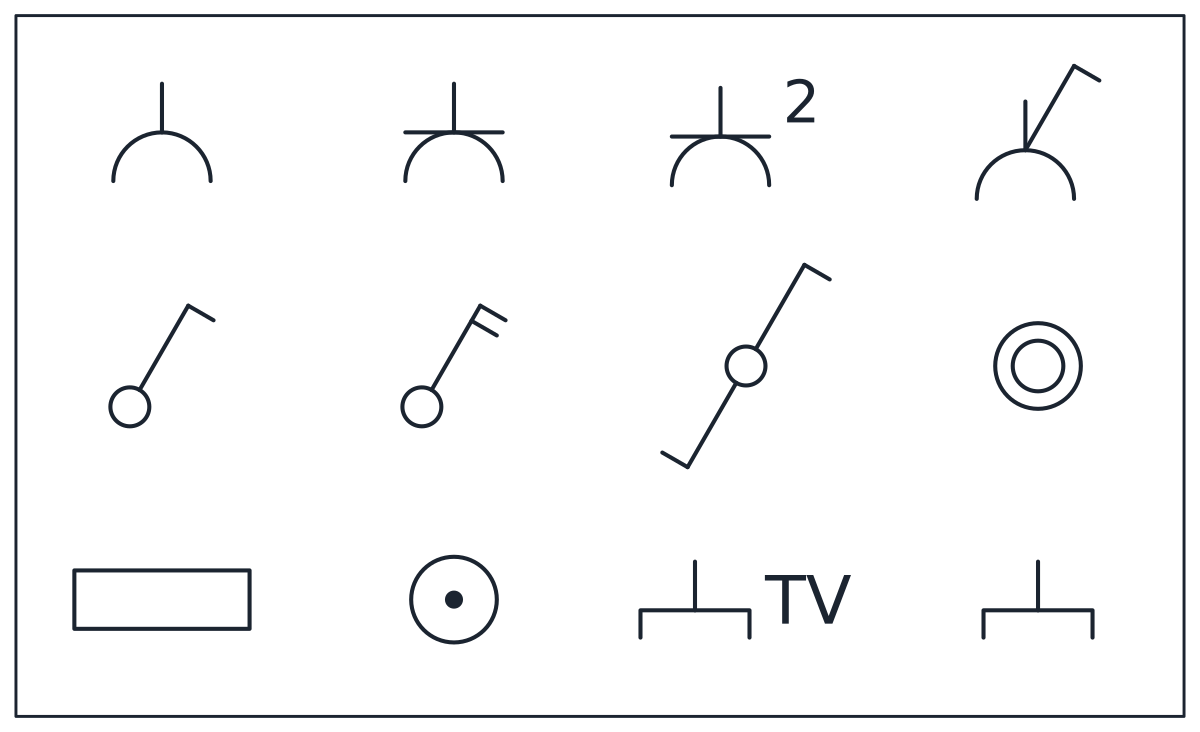
Each file is a library sheet with a thin frame and its symbols set out in a grid. The IEC sheet is 3,000 x 1,800 mm with 12 symbols: socket outlet, socket with protective earth, double socket, switched socket, one-way switch, two-pole switch, two-way switch, push button, distribution board, junction box, TV outlet and telecom outlet.
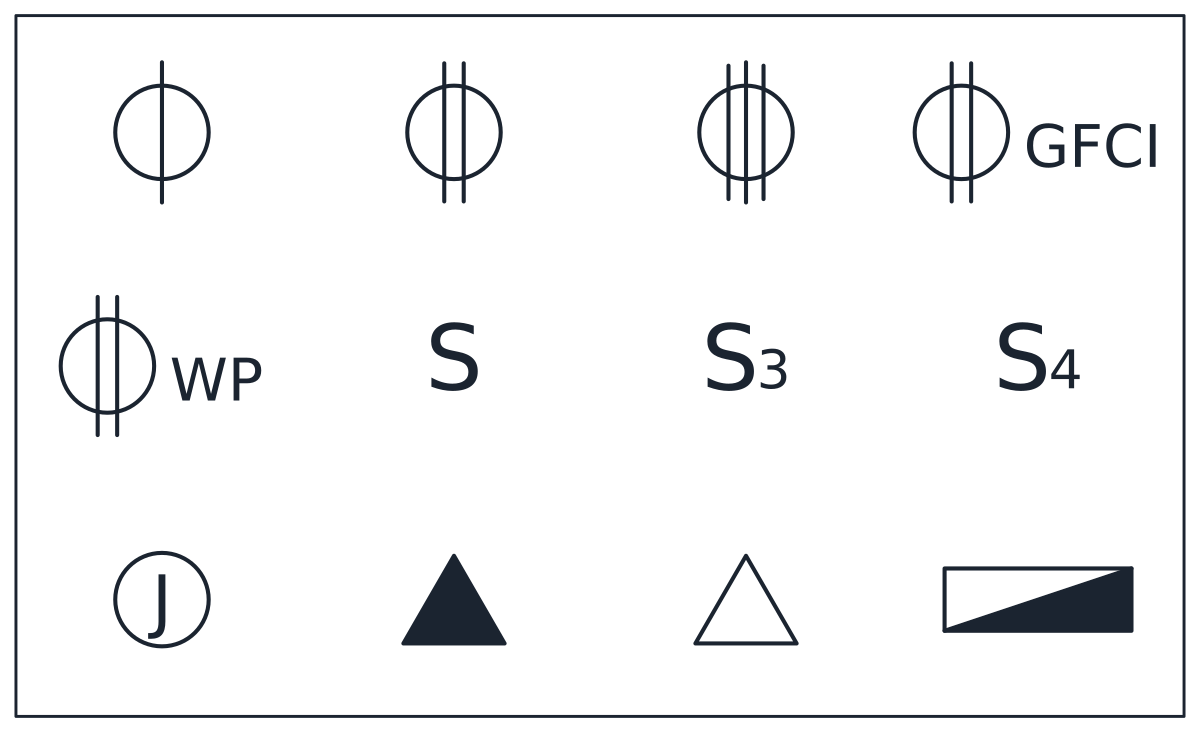
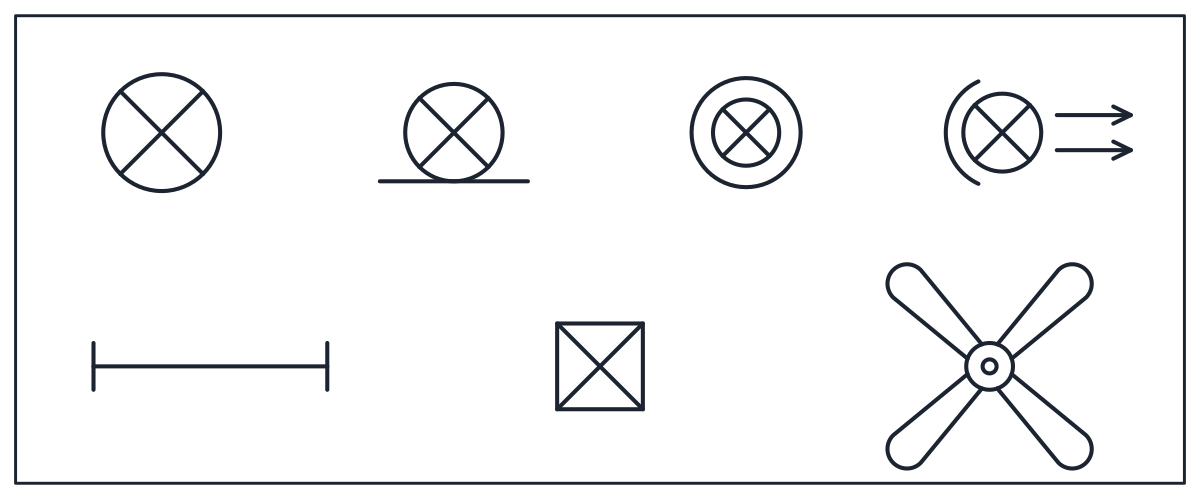
The ANSI sheet has the same size and also 12 symbols: single, duplex and 240 V receptacles, GFCI and weatherproof duplex receptacles, single-pole, three-way and four-way switches, junction box, telephone outlet, data outlet and panelboard. The lighting sheet is 3,000 x 1,200 mm with 7 symbols: ceiling luminaire, wall luminaire, recessed downlight, adjustable spotlight, linear luminaire, emergency luminaire and ceiling fan.
Symbols are drawn for 1:50 plans. The IEC symbols are 250 to 300 mm across, which plots at 5 to 6 mm. The ANSI sheet is drawn for 1/4 in = 1 ft, close to 1:50.
IEC 60617 or North American electrical symbols
The two libraries show the same devices in two different graphic languages. IEC 60617 is the international symbol standard used in Europe and much of the world. In it a socket is a semicircle with a stem, earth adds a bar across it, and a switch is a small circle with a stroke and a tick for each pole. The North American set follows the plan conventions of ANSI Y32.9 and NECA 100. A receptacle is a circle crossed by one, two or three lines, a switch is the letter S with 3 or 4 for three-way and four-way, and the panelboard is a half-filled rectangle.
Use one convention per drawing set and never mix them on the same plan. Many projects and utilities ask for their own legend, so check the legend required by the client, the project specification or the local regulations before you start. The lighting symbols use IEC 60617 luminaire forms, and the ceiling fan symbol follows common drafting practice.
Electrical CAD symbols: inserting a single symbol
Every symbol is its own named block inside the file, with its base point at the centre of the symbol. The IEC socket with earth is CT_ELECTRICAL_SYMBOLS_IEC_SOCKET_EARTH, the ANSI duplex receptacle is CT_ELECTRICAL_SYMBOLS_ANSI_DUPLEX_RECEPTACLE and the downlight is CT_LIGHTING_SYMBOLS_RECESSED_DOWNLIGHT.
To bring in one symbol, open DesignCenter with ADCENTER, browse to the downloaded DWG, expand Blocks and drag the symbol into your plan. Once the file has been inserted once, every symbol block is also available in the INSERT command of your drawing. You can also insert the whole library sheet and explode it once. The frame becomes lines and each symbol stays as a separate block reference. The guide to inserting a CAD block covers the steps in AutoCAD and other programs.
Symbols sit on three layers by circuit type: sockets, boards and junction boxes on E-POWR-SYMB, switches and luminaires on E-LITE-SYMB, and TV, telecom and data outlets on E-COMM-SYMB.
Scaling electrical symbols for 1:100 plans
On a 1:100 plan a symbol drawn for 1:50 plots at half size, around 2.5 to 3 mm, which is hard to read. Insert the symbols at a factor of 2 for 1:100 and 4 for 1:200 so they plot at the same 5 to 6 mm. The blocks are not annotative. To make them follow the annotation scale of each viewport, redefine each symbol at its plotted size and set Annotative to Yes. North arrows and title blocks are in the AutoCAD symbols collection.